You wouldn’t believe how often I get asked this, in the comment-responses to my electronics videos. (I’ve just added this to my FAQ)
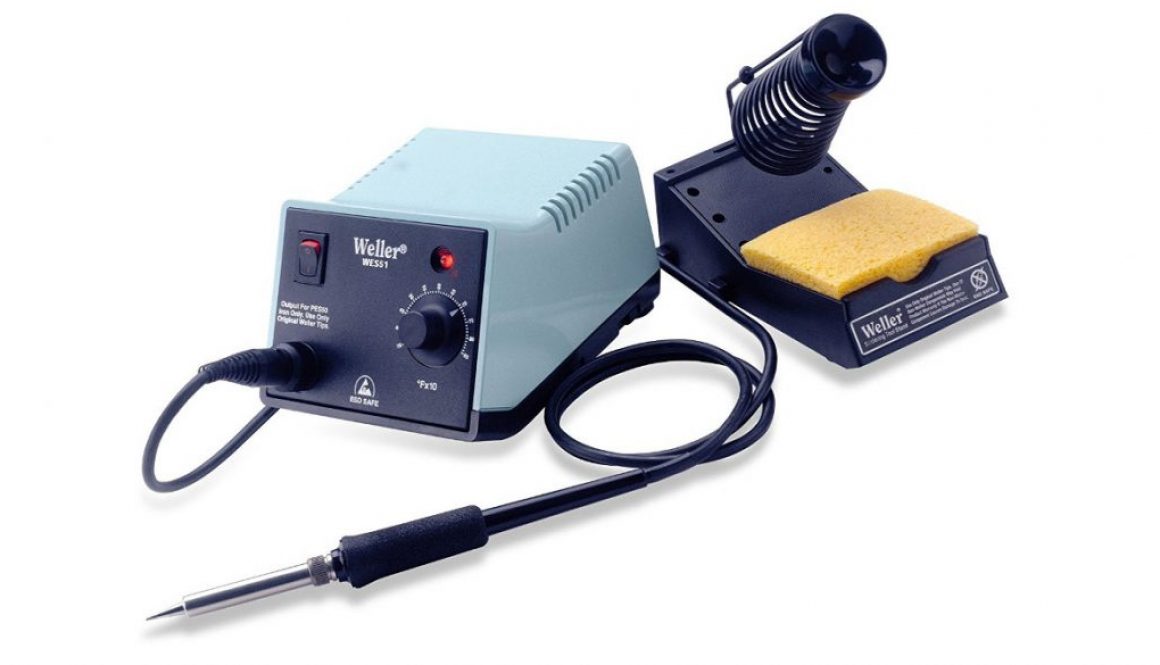
In the US, solder is pronounced “saw-der” (ˈsɑːdər) without the L. My family is Australian- I grew up doing electronics projects with my Dad, pronouncing it with the L as “sole-der” (ˈsɒldər). I have to really make an effort to say it the American way.More
These Rotomatics are different from typical locking tuners, like the Sperzel’s or Grover’s own Roto-Grips, where you lock and unlock the string using a thumbscrew around back.
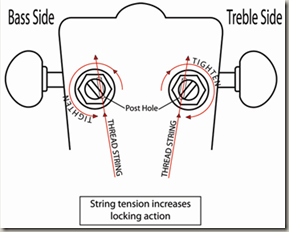
On the Rotomatics, you just insert the string, and give it a wind, and an inner-cam rotates, locking the string into place under the string’s own tension. I always feel a little uncertain when changing strings on these because the process is a bit different from other tuners. Here are the instructions from Grover:
1. Turn tip of string post until it clicks into place. This aligns string post holes.
2. Note string hole is off center. Turn knob to rotate post until string hole is positioned away from knob. Thread string up through bottom of hole and pull firmly. See drawing.
3. Turn to begin tuning. At first, only inner “Locking Cam” is turning, securely locking the string. Once the string is locked, outer post will turn.
4. Bring string to pitch.
A carpenter once showed me a great trick with a toothpick. One of our doors was sagging, because the screws in the hinges were loose, and couldn’t be tightened. With a glint in his eye, he pulled out a handful of toothpicks from his pocket, saying “my secret weapon”. After removing the loose screws for the hinge, he stuffed a few toothpicks in each hole, cut them off flush, and then re-tightened the screws in the holes. Presto chango- it was all nice and tight. Sometimes the simplest solutions are the best!
In this video, I apply this simple trick to the tuners on my Epiphone Riviera P93. Some of these screws have been loose since day one – the kind of loose where no matter how much you try to tighten the screw, it just spins freely in the hole. The wood fibers in the hole are stripped out and no longer gripping the screw threads. One simple toothpick, inserted in each hole and cut off flush, just like that carpenter had shown me- and now the screws go in nice and tight. The soft wood of the toothpick makes the perfect filler. No glue necessary.
That same carpenter also shared these fine words of wisdom: “Caulk and paint are what a painter ain’t”, but that’s a story for another day
“Until it’s recognized that the amplifier is AT LEAST 50% of the sound of the electric guitar, its full potential cannot be realized” -Leo Fender
I couldn’t verify whether that quote is truly attributable to Leo Fender, but it’s a good point.
We tinkerers spend all this time tweaking our electric guitars’ pots, caps, pickups, etc- when really the biggest factors in how your guitar sounds are the amp and pedals you play through. Your guitar may be puttin out the most beautifully kickin tone in the world, but if you’re playing it through a crappy amp, you’re gonna hear crap.
I found this interesting collection of FAQ’s about amps, tubes, etc (along with a ton of other tips) by Steve McKinley at Atlanta Tube Amp. Check it out:
In this article, Pete Biltoft at Vintage Vibe Guitars gives an in-depth explanation of pickup coil wiring options. Note this information is provided in the context of humbuckers, but applies just as well to a pair of single coil pickups that are RWRP relative to each other. You may also find my earlier posts useful: Humbucker Wiring and Coil Splitting, and Pete’s previous article on Coil Splitting/Tapping.
Thanks again to Pete for the permission to post this here!
January 2013
Howdy!
In this Tech Tips newsletter I would like to discuss the wiring options possible with a single humbucking pickup which has a four conductor output cable with an independent ground lead.
The following information applies not only to conventional humbucking pickups with side by side coils, but also to stacked humbuckers and humbuckers in other size formats or configurations.
In this newsletter I do not plan to cover the details of wiring one or more switches to accomplish the possible coil configurations described below. A great deal of useful information on this topic is provided on the Stewart MacDonald website, the Guitar Nuts website and on www.deaf-eddie.net
In this final installment on finishing your own guitar effects pedals, I demonstrate how to print and apply the waterslide decal to the pedal, and apply a durable clear finish. In previous videos, I showed how to model, drill, and paint the enclosure, and design and prepare the artwork and labels in GIMP.
I use clear waterslide decal paper, and print on my inkjet Canon Pro9000mkII. After printing, and waiting a while to ensure the ink is dry, I spray on a few coats of Krylon Acrylic Crystal Clear acrylic to protect the ink during the soak. Then, after the clearcoat dries for 30 minutes or so, I trim the paper to final dimensions and soak the paper in warm water. When the decal starts to move freely from its backing, I wet the surface of the enclosure and slide the decal directly onto it. I iron out the bubbles with wet fingers, and adjust the decal into its final position, being careful not to stretch the decal.
In this article, Pete Biltoft at Vintage Vibe Guitars gives an in-depth explanation of humbucker coil splitting and tapping. You may also find my earlier posts useful: Humbucker Wiring and Coil Splitting.
Thanks again to Pete for the permission to post this here!
October 2012
Howdy!
The topic for this tech tips newsletter will be Coil Splitting and Coil Tapping.
Coil Splitting and Coil Tapping are two methods which can be used to extend the range of tones on can get from a magnetic pickup.
First, a few definitions:
Coil splitting refers to disabling one of the two coils of a humbucking pickup by shunting that coil’s output to electrical ground.
Coil tapping is most often used to describe a single coil pickup which has a coil start and more than one coil end (output tap).
Because I intend to devote most of this article to Coil Tapping, let me start with Coil Splitting.
The next step in finishing up the pedal that we’ve modeled, drilled and painted previously, is to prepare the artwork and labels.
In this tutorial, I will demonstrate how to compose your pedal artwork in GIMP, the free GNU Image Manipulation Program. I’m using GIMP 2.8.2 on Windows, but it also runs on Mac and Linux. More
[Update 10/11/2012: What a relief! All my old YouTube comments appear to have been restored successfully. Thanks to the YouTube team for correcting the situation so promptly.]
[Update 10/10/2012: Some news: I received an email from the youtube team saying “A small number of YouTube users may have had their comments deleted as a result of an error on our part”. They sent a link to a reinstatement form, which I submitted, and I now wait with fingers crossed for a speedy and successful recovery. Here’s a link to that form, if you feel you’ve also been affected by this issue!]
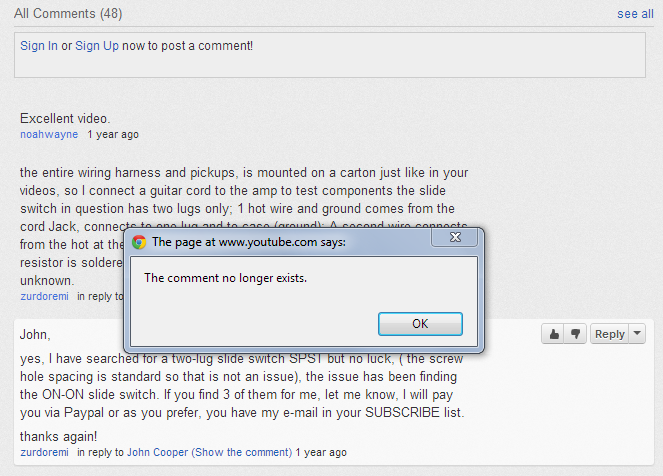
Today I noticed something completely depressing! I was looking back at some older comments on one of my videos and I noticed that none of my comments were there. When I clicked on someone’s reply to one of my comments “in reply to John Cooper (Show the comment)”, it popped up a dialog saying “The comment no longer exists”.

 You wouldn’t believe how often I get asked this, in the comment-responses to my electronics videos. (I’ve just added this to my FAQ)




 I couldn’t verify whether that quote is truly attributable to Leo Fender, but it’s a good point.