 A few months back, I purchased the ultimate unnecessary-but-awesome gadget: the iPad 2.
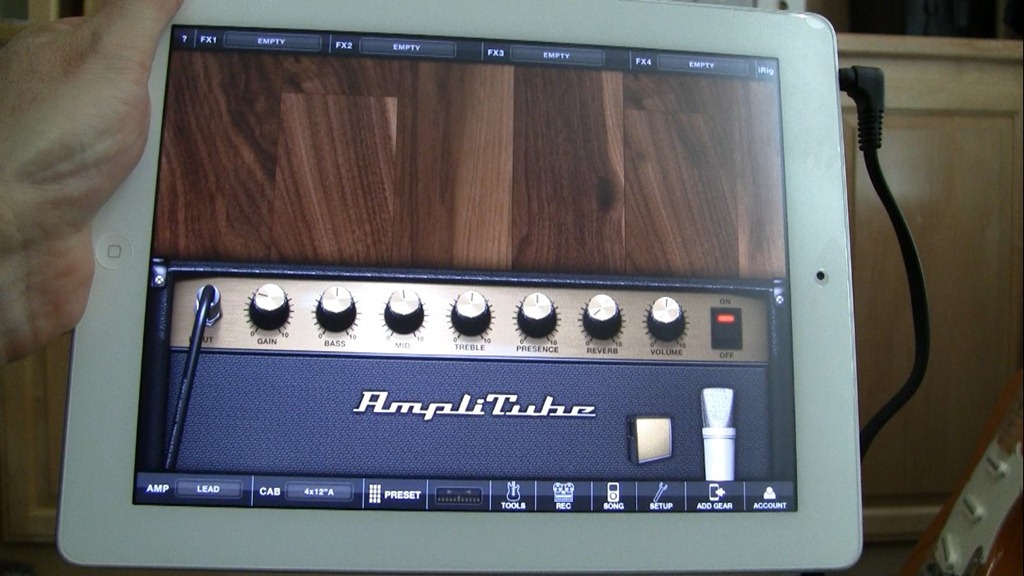
With the availability of apps like Amplitube, AmpKit, and Garage Band, it’s immediately obvious how this device can be an amazing guitar learning and practicing tool. I’ll talk more about that in another article. But before you can plug in your guitar, you need a special interface…
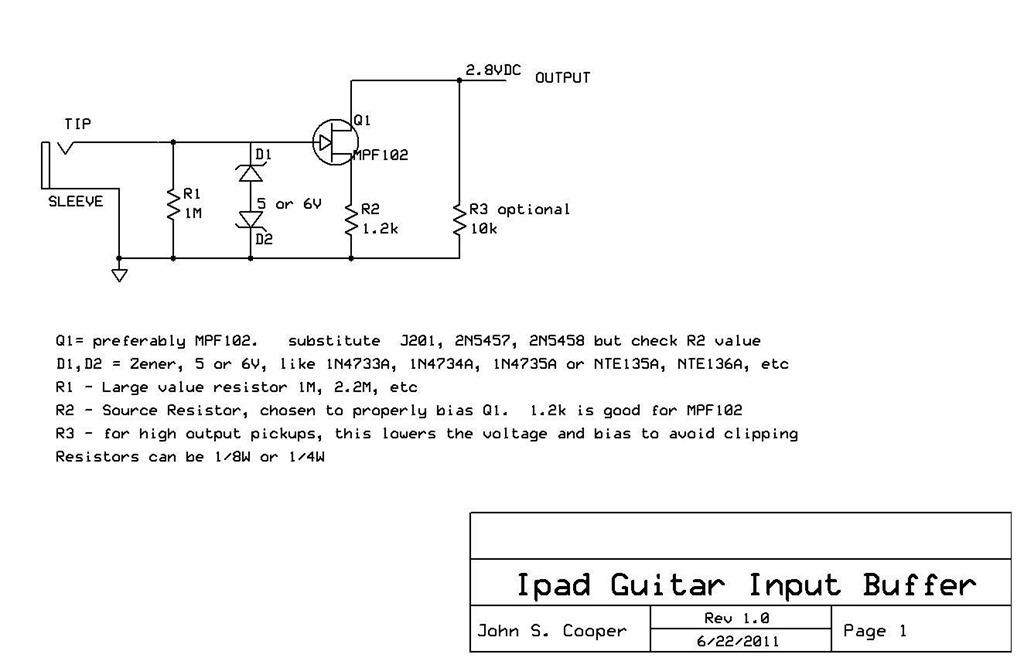
Before we talk about building our own device, let’s consider the alternative. There are a number of commercial interface products available. The less expensive ones plug in through the headphone/microphone jack like IK Multimedia Amplitube iRig, Peavey AmpKit Link, Griffin GuitarConnect. That’s the type of device we’ll be building. Then there are also the higher quality, more expensive products that have their own A/D converters and plug in using the dock connector- like Apogee Jam, Sonoma GuitarJack, Alesis iO Dock, Line 6 Mobile In and IK Multimedia iRig HD.
In part 1 of this 3-part video series, I introduce the project- how to make your own impedance matching, buffered guitar interface for the Apple iPad, iPod touch and iPhone. These iDevices all share a similar headphone/microphone jack specification, so this circuit should work with all of them.
More